
FlickOS
A light Debian desktop that feels finished.
Version 2.0 on Debian 13 with a labwc Wayland session, Arc theming, and a live ISO you can install when you are ready.
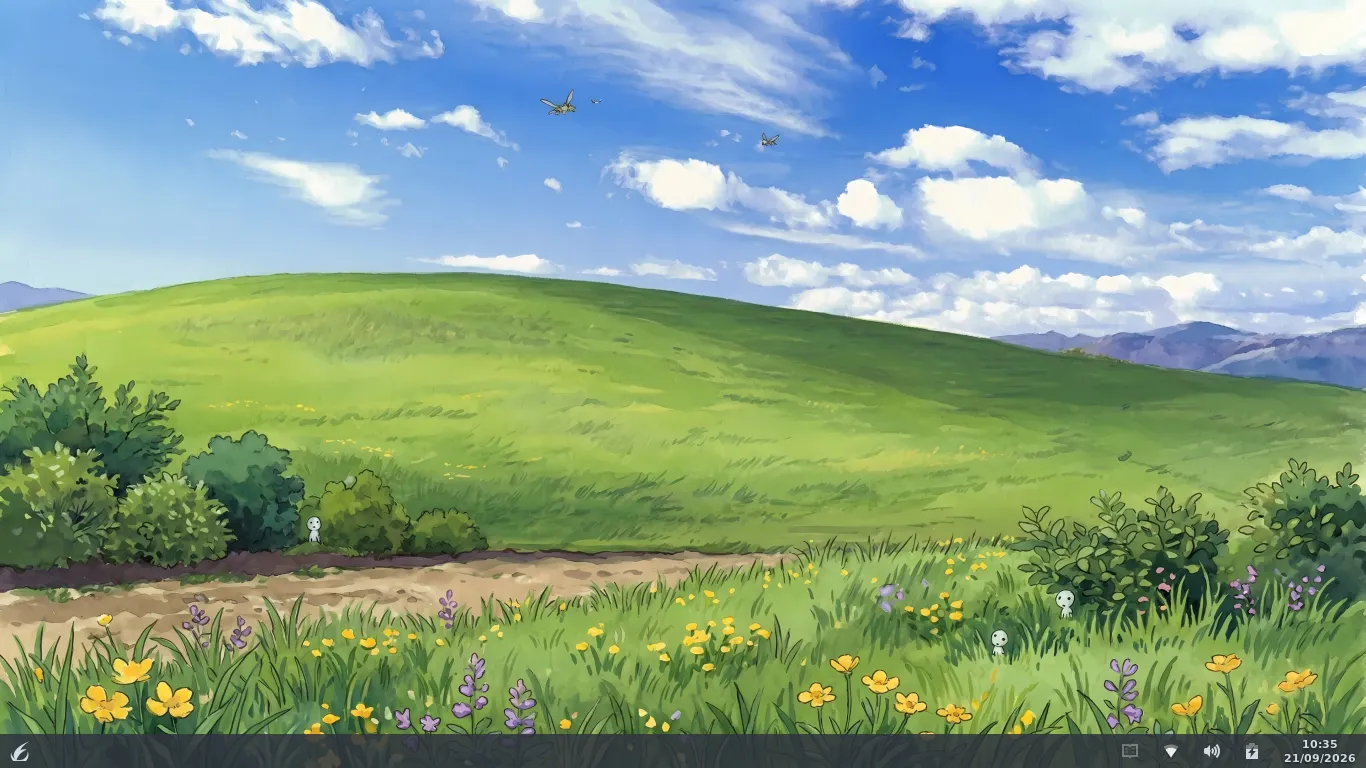
- Debian 13trixie · Linux 6.12 LTS
- labwc Waylandlightweight compositor
- amd64BIOS + UEFI hybrid ISO
- ~1.4 GBlive ISO + Calamares
Built for everyday use
What ships in FlickOS 2.0 — the same stack the ISO boots.
Three live layouts
Redmond, Cupertino, and Traditional — switch from Settings without logging out.
Arc look everywhere
GTK, panel, terminal, launcher, notifications, boot menu, splash, and installer share the Arc palette. Light style available.
Optional tiling
flick-tiler is off by default. Super+T toggles it; Super+M cycles arrangements.
Ready to use
Firefox ESR, LibreOffice, VLC, PipeWire, NetworkManager, Flatpak, firewall on by default.
Updates that stick
FlickOS packages update via the apt repository alongside normal Debian security updates.
Install when ready
Boot the live session, explore, then install with Calamares from the desktop menu.
Three layouts, one desktop
Switch live from Settings → Desktop Layout & Style.
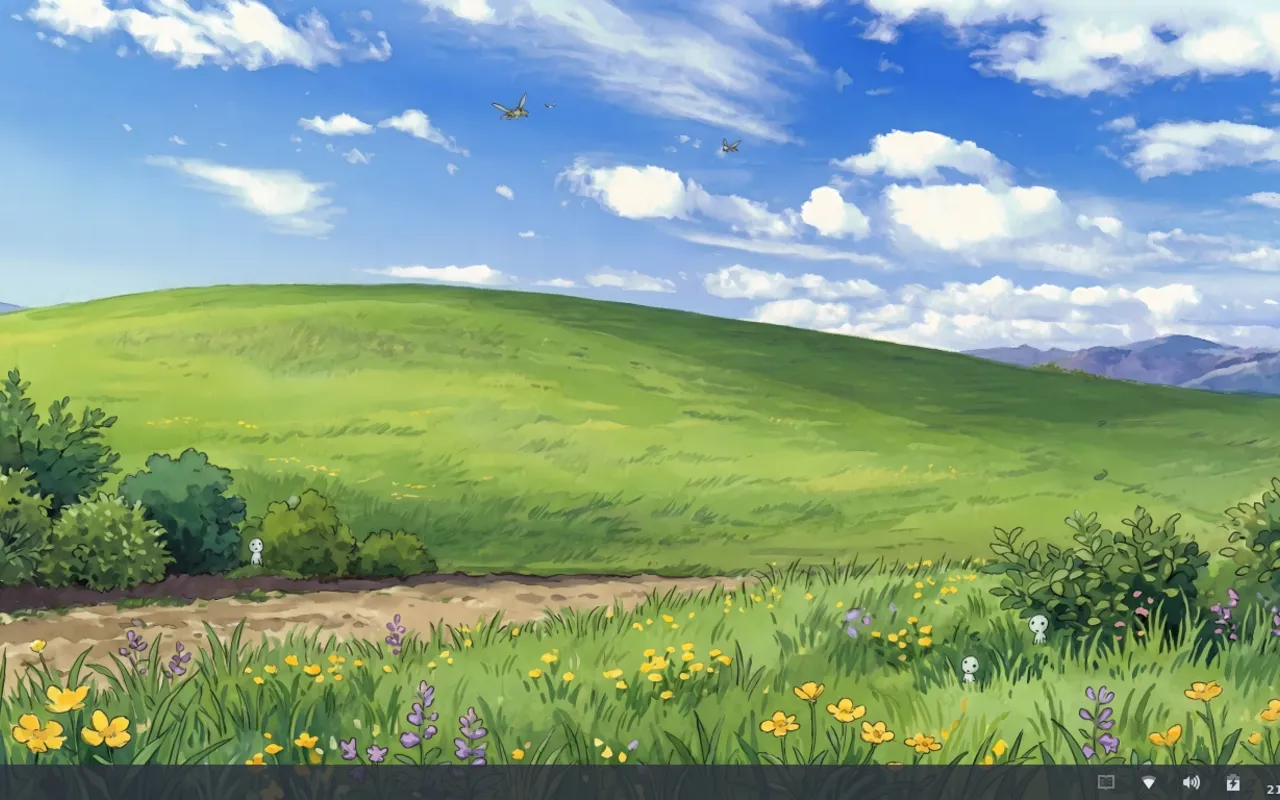
Redmond
One bottom panel — the default.
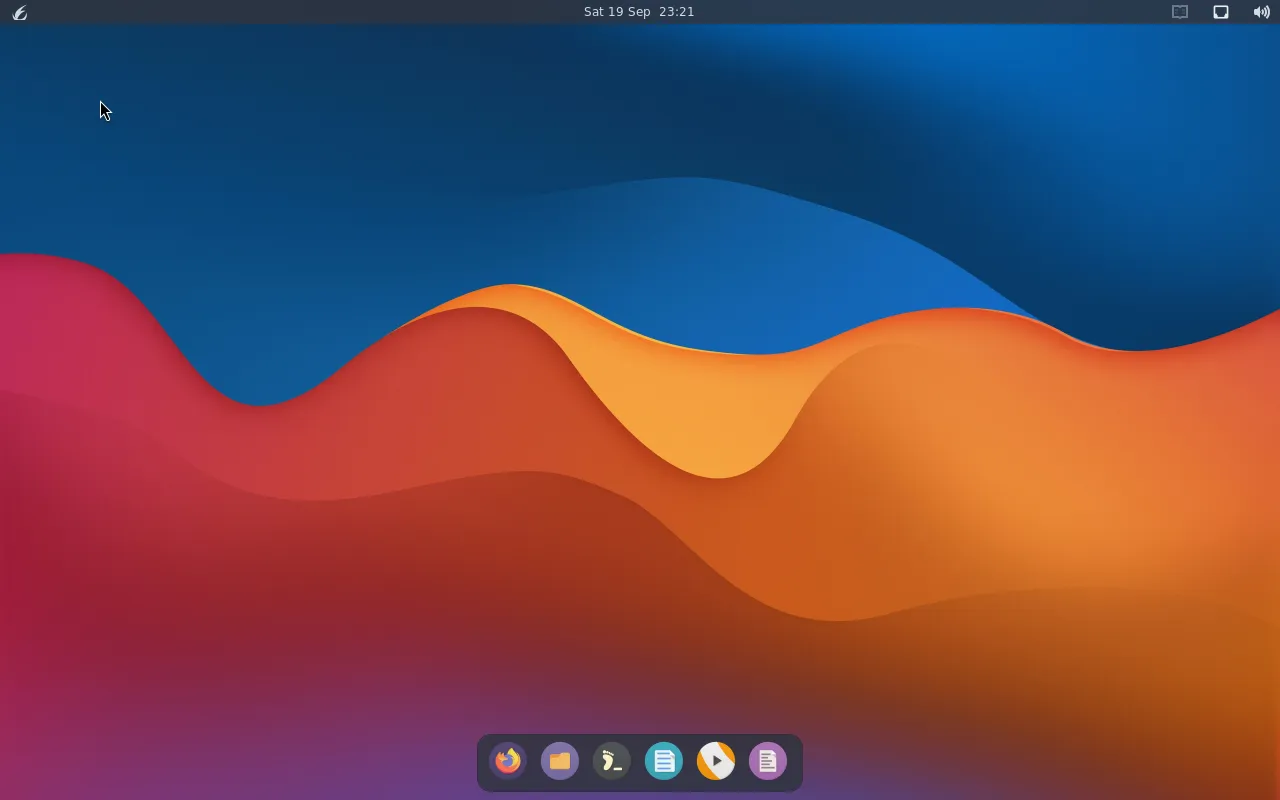
Cupertino
Top bar and an auto-hiding dock.
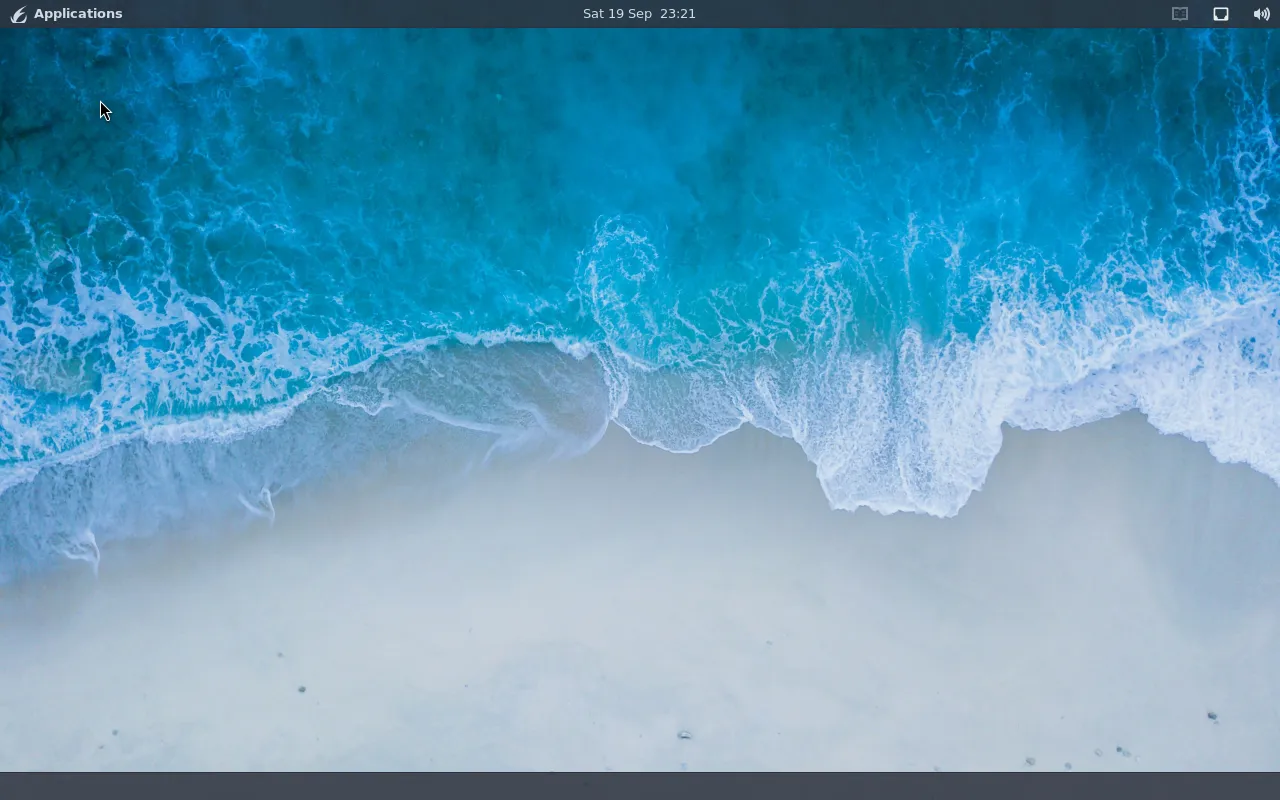
Traditional
Top panel with a window list.
Keybindings
Right-click the desktop for the full menu.
| Key | Action |
|---|---|
| Super+Enter | Terminal |
| Super+D | App launcher |
| Super+E | File manager |
| Super+B | Web browser |
| Super+V | Clipboard history |
| Super+Q | Close window |
| Super+L | Lock screen |
| Super+Shift+E | Log out |
| Super+T | Tiling on/off |